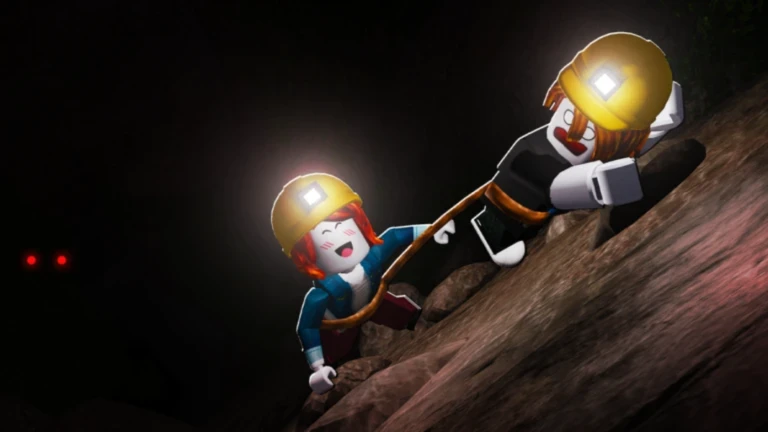
- Backpack upgrades increase carrying capacity so you collect more resources per mining trip.
- Buy timing matters: upgrade whenever your backpack fills before you finish a productive route.
- Pair with mining power: a larger backpack works best alongside pickaxe or drill upgrades.
- Reduce return trips: fewer sell runs means more time mining deeper in the cave.
- Balance spending: do not dump all currency into storage while mining speed lags behind.
Why the Backpack Upgrade Matters
The Escape the Cave backpack upgrade is one of the most consistent progression investments in the game. Mining rocks, collecting resources, and selling materials form the core gameplay loop, and your backpack determines how much you can carry before returning to the selling area. A small backpack forces constant back-and-forth trips, which cuts into your mining time and slows your route toward the cave exit.
Backpacks sit alongside pickaxes, drills, dynamite, and cars as the main upgrade categories. Unlike situational tools such as dynamite, storage provides value on every single run, which is why it is rated as a high consistent value purchase.
A larger backpack reduces the number of return trips per run, effectively increasing your resources collected per minute without changing how you mine.
When to Buy Your Next Backpack
Storage upgrades should be bought reactively, not on a fixed schedule. Watch for the signals below to know when capacity has become your bottleneck.
| Signal | What It Means | Recommended Action |
|---|---|---|
| Backpack fills mid-route | Capacity is your current bottleneck | Buy the next backpack tier soon |
| You finish routes with empty space | Mining speed is the bottleneck | Upgrade pickaxe or drill first |
| Long walks to the seller | Travel time dominates the run | Consider a car or route change |
| Frequent abandoned deposits | Route is longer than storage allows | Upgrade backpack before extending routes |
| Currency sitting unused | You are past due for any upgrade | Fix the weakest part of your setup |
Early Game
- Mine nearby rocks with starting gear
- Sell often to keep runs short
- Save toward first capacity bump
Mid Game
- Pair backpack with a drill upgrade
- Extend routes into deeper areas
- Target higher-value deposits
Late Game
- Maximize storage for long expeditions
- Balance with cars and mobility tools
- Prep for Hard mode runs
Do not spend all your currency on one expensive upgrade if it leaves your other progression systems behind. A huge backpack with a weak pickaxe just means you spend longer filling it.
Step-by-Step Upgrade Routine
Follow this routine to keep capacity and mining power growing together.
Track Your Fill Point
Note where your backpack fills on your current route. If it fills before the halfway point of a productive loop, capacity is limiting your income.
Sell Before You Are Full
Return to the selling area just before hitting capacity. Selling regularly prevents a full backpack from stopping your next run entirely.
Fund the Next Backpack Tier
Reinvest earnings into the next storage upgrade. Prioritize it whenever capacity fills before you complete a route you know is efficient.
Match It with Mining Power
After a storage upgrade, shift spending toward mining power so you can actually fill the new capacity at a reasonable pace.
Extend the Route
Once capacity and mining speed are balanced, push deeper into the cave and target more valuable or harder-to-mine resources.
Mine until nearly full, sell, buy the upgrade that fixes your biggest bottleneck, and repeat. This loop keeps every run more profitable than the last.
Backpacks vs Other Upgrades
Every upgrade category solves a different bottleneck. Use this comparison before spending your Cash or Gems.
| Upgrade Category | Main Function | Best Time to Buy | Value Priority |
|---|---|---|---|
| Backpacks | Increase carrying capacity | When storage fills mid-route | High consistent value |
| Pickaxes | Faster rock breaking | When common rocks take too long | High early-game value |
| Drills | Sustained advanced mining | When mining speed limits each run | High mid-game value |
| Cars | Faster transportation | When travel time dominates runs | High value for long routes |
| Dynamite | Clear difficult obstacles | When explosives save major time | Situational value |
Treat Cash as your everyday upgrade currency. Save rarer Gems for upgrades that stay useful across many runs, including major storage jumps.
Backpack Milestones Checklist
Storage Progression Goals:
- Identify your current fill point on a standard route
- Buy the next backpack tier when storage fills mid-route
- Pair each storage upgrade with a mining power upgrade
- Extend mining routes after capacity and speed are balanced
- Prepare max storage before attempting Hard mode runs
In co-op, players with larger backpacks can cover farther deposits while teammates handle nearby sections. Assign roles before entering so storage capacity is spread efficiently.
FAQ
Q: What does the Escape the Cave backpack upgrade do?
It increases your carrying capacity, letting you collect more resources before returning to the selling area. This reduces return trips and raises the value of every mining run.
Q: Should I buy the backpack or the pickaxe first?
Buy whichever fixes your current bottleneck. If your backpack fills mid-route, upgrade storage first. If you finish routes with empty space because mining is slow, upgrade your pickaxe first.
Q: Are backpack upgrades worth it in Hard mode?
Yes. Hard mode demands efficient resource management, and larger storage reduces risky return trips. Bring upgraded equipment that addresses your team's weakest point before attempting repeated Hard runs.
Q: How do backpacks work with pets and cars?
Collection-focused pets increase what you gather per deposit, cars cut travel time, and backpacks let you carry more per trip. Together they maximize resources collected per minute on longer routes.